Outflow Studio is better than Motion Array
For templates and stock in Premiere Pro, on the things most editors care about. Motion Array does one job well; Outflow Studio does that job and the rest of the edit too, on your own PC, starting free — and it is honest about the places Motion Array still wins.
Who they are
One Premiere Pro panel with the lot: 3D Carousel, 79 transitions, Auto Edit with Podcast mode, Relight, Remove music, Download media, Mask, Timeline tools and the Quick FX wheel. Everything runs on your own PC.
- Price
- Free to start · Pro $19 a month or $149 the first year
- Runs
- Premiere Pro 2026, 2025, 2024 · Windows, Mac soon
- Your footage
- Stays on your PC
A subscription marketplace of templates, presets, stock footage and music, with an Adobe extension that drops assets straight into Premiere Pro and After Effects.
- Price
- From $15.99 a month for templates; $24.99 a month for the Everything plan; $29.99 a month for unlimited downloads
- Category
- templates and stock
- Site
- motionarray.com
What each one does
Facts from both makers' sites, September 2026. | Outflow Studio Free to start · Pro $19/month | Motion Array From $15.99 a month for templates; $24.99 a month for the Everything plan; $29.99 a month for unlimited downloads |
|---|---|---|
| Templates, stock footage, music library | Pexels and Openverse search | ✓ |
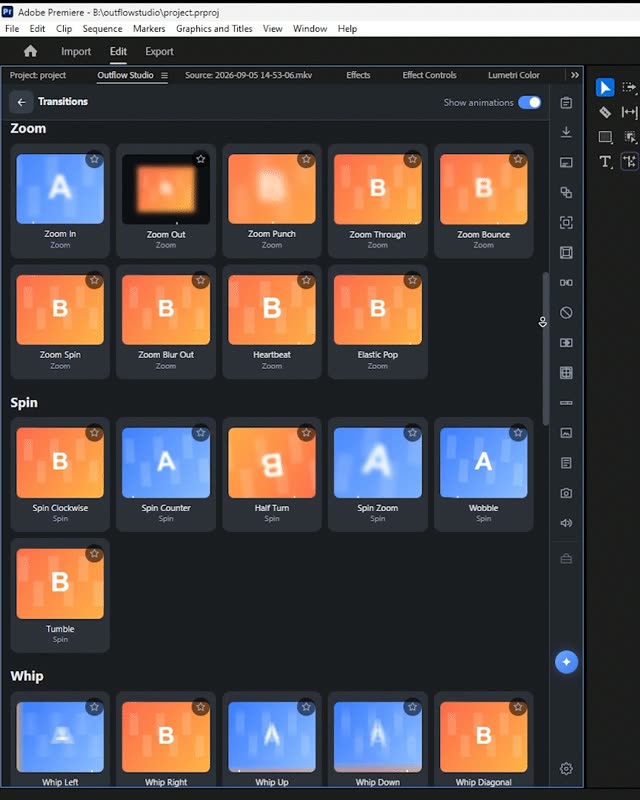
| Transitions | 79 keyframed, editable | Template packs |
| 3D Carousel from your own photos and clips | ✓ | partly |
| Auto Edit and Podcast mode | ✓ | ✕ |
| Relight, Remove music | ✓ | ✕ |
| Download media from YouTube, Instagram, TikTok | ✓ | ✕ |
| Mask to Opacity in two clicks | ✓ | ✕ |
| Runs on your own PC | ✓ | partly |
| Free plan | ✓ | partly |
| Price | $19 a month · $149 first year | $15.99 to $29.99 a month |
| Hosts | Premiere Pro (Windows and Mac) | Premiere Pro, After Effects and more |
Outflow Studio, inside Premiere Pro
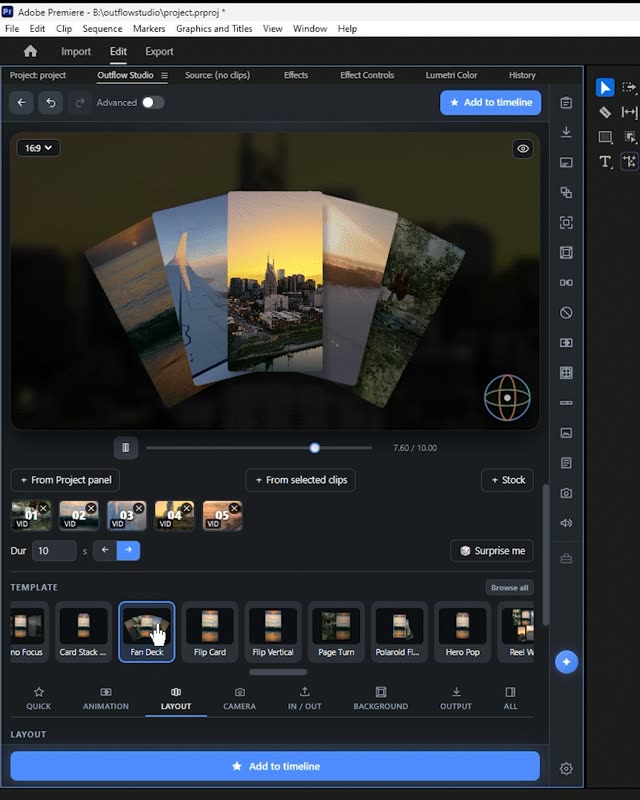
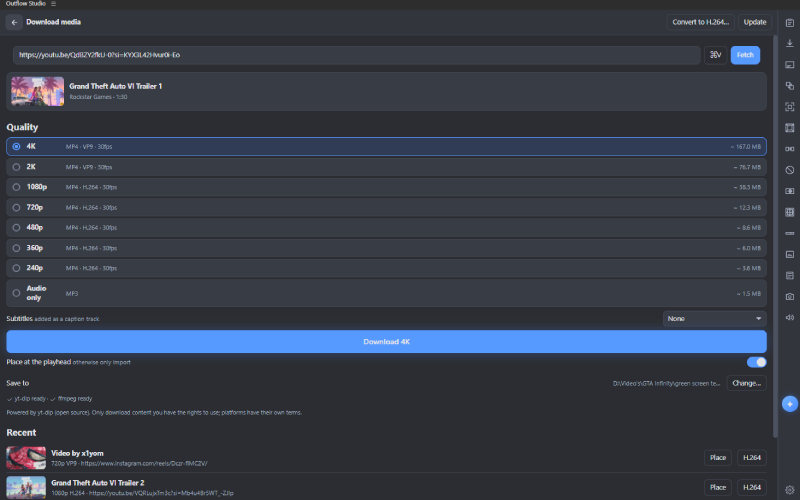
The tools that overlap with Motion Array, as they look in the panel. For Motion Array's own interface, see their site.
Honest strengths
- A huge library of templates, music and stock in one subscription
- The extension puts the library inside Premiere
- Plugins bundled on the higher plans
- Tools that edit for you: silence cuts, camera switching, relighting, music removal
- A 3D Carousel built from your own photos and clips, no template to customise
- Download media from YouTube, Instagram and TikTok onto the timeline
- A free plan
Which one should you get?
Outflow Studio is the better pick for most Premiere Pro editors. It covers templates and stock and eight other jobs in one panel, runs on your own PC, and starts free. Pick Motion Array if you specifically need one of its strengths above, for example a huge library of templates, music and stock in one subscription.
Frequently asked
Is Outflow Studio a replacement for Motion Array?
For templates and stock, yes in most cases: the table above shows the overlap. Outflow Studio also brings the other eight tools, so it replaces several subscriptions at once. Where Motion Array does something Outflow does not, it is listed under "Where Motion Array wins".
Which one is cheaper?
Outflow Studio has a free plan and Pro is $19 a month or $149 for the first year ($190 a year after that). Motion Array is From $15.99 a month for templates; $24.99 a month for the Everything plan; $29.99 a month for unlimited downloads. Prices are from the makers' sites in September 2026; check them before you decide.
Does my footage get uploaded?
Not with Outflow Studio: transcription, audio separation and relighting all run on your own PC. For Motion Array, check their site for where processing happens.
Other comparisons: vs AutoPod · vs AutoCut · vs TimeBolt · vs Recut · vs Premiere Composer · The best Premiere Pro plugins
Free forever for the basics.
Two minutes to install. Updates arrive inside the panel.