Cut anyone out of any clip. No green screen.
Select a clip in the timeline, press one button. The person is cut out with a transparent, colour or blurred background and lands on the track above, in sync. It runs on your own GPU, so nothing is uploaded and there are no credits.
Free to download. Tested on Premiere Pro 2026; 2025 and 2024 work too, on Windows and Mac. The basics stay free forever, Pro unlocks every tool, cancel any time.
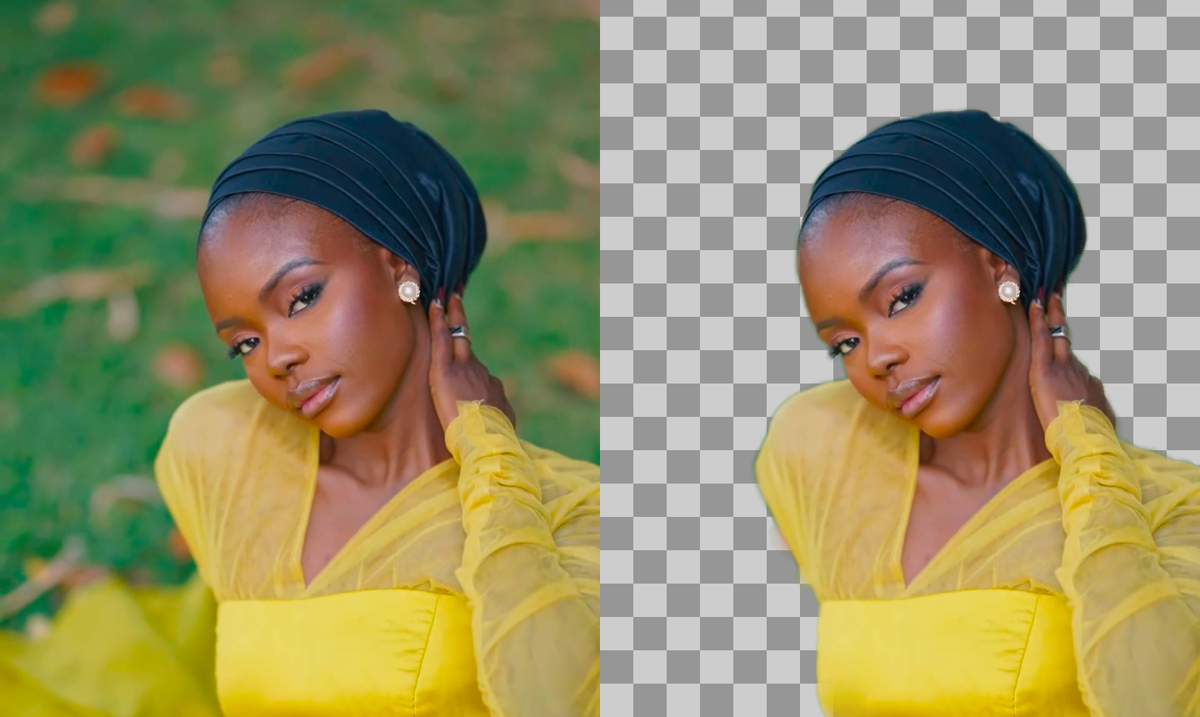
A keyer that does not need a key.
Any background
A wall, a room, the street. The model follows the person, not the colour behind them, and it stays steady from frame to frame.
Three outputs
Transparent with real alpha, a solid colour, or the original blurred behind you. All as a ProRes clip Premiere reads natively.
Live edge preview
The preview follows every slider instantly. Zoom to 8× on the edges, pick a frame anywhere in the clip, then render.
Edge clean-up
Contrast, shrink or grow, softness, and a switch that drops loose bits like cables and debris that are not attached to the subject.
Lands in place
The result goes two tracks up, at the same position and length. The original video is switched off, its audio stays, and the track between is free for the new background.
Fast, on your GPU
Up to three parts of the clip run at once on NVIDIA, AMD and Intel GPUs. A one-minute clip takes a few minutes. Best quality mode adds a larger model for hair.
Three steps. Nothing to learn.
Typical uses: a talking head over your own B-roll, a presenter over a product, reaction videos, and anything you would have shot on green screen.
Select the clip in the timeline and open Remove background. A preview frame appears by itself.
Adjust the edges while looking at the preview, pick transparent, a colour or blur.
Render. The cutout lands on the track above, the original's video goes dark, and you drop a background between them.
Frequently asked
Is Remove background free?
The model runs on your PC for free; the tool is part of Pro ($19 a month or $149 a year). The free panel includes three free goes in the 3D Carousel, the transitions, Motion Curves, Zoom Montage, Download media and Mask, plus the timeline sidebar, the Quick FX wheel and stock search with no limit.
Do I need a green screen?
No. The model separates people and clearly defined objects from any background. A green screen still gives the cleanest hair, but it is no longer required.
Does my footage leave my computer?
No. Decoding, the model and the encoding all run locally. Nothing is uploaded.
How good are the edges?
People, clothes and solid objects come out clean. Fine hair, motion blur and thin things like cables are the hard cases; the edge clean-up and the Best quality model help, and the live preview shows you exactly what you will get before you render.
Do I need a GPU?
It runs on the CPU too, only slower. Any DirectX 12 GPU from NVIDIA, AMD or Intel makes it several times faster.
Shoot anywhere. Fix the background later.
Remove background is part of Pro: $19 a month or $149 a year.